If you run a shop, restaurant, or pharmacy in India, a billing machine is one of the first things you need to sort out — right after the shutter and the shelves. It's what turns a sale into a proper GST bill, keeps track of what you've sold, and, if you pick the right one, tells you what's running low in stock.
A basic standalone GST billing machine in India costs around ₹12,000 to ₹25,000 as a one-time purchase. A touchscreen POS system with billing software costs more upfront for hardware, plus an ongoing subscription. Which one makes sense for you depends on how many bills you do in a day, whether you need inventory tracking, and whether you're running one counter or several.
This guide walks through the types, real price ranges, must-have features, and how to pick the right one for a retail shop, restaurant, or pharmacy — without getting talked into features you'll never use.
What Is a Billing Machine?
A billing machine is a device that generates a customer bill at the point of sale. It typically prints the shop name, item details, GST breakup, and total on a thermal receipt. Some billing machines work as completely standalone units, with no computer or internet needed at all. Others are part of a fuller POS setup, with a screen, dedicated software, and extra hardware attached.
In everyday shop language, people use "billing machine," "POS machine," "GST machine," and "cash register" almost interchangeably. They're not always the same thing, though, so it's worth understanding the differences before you spend money.
Types of Billing Machines
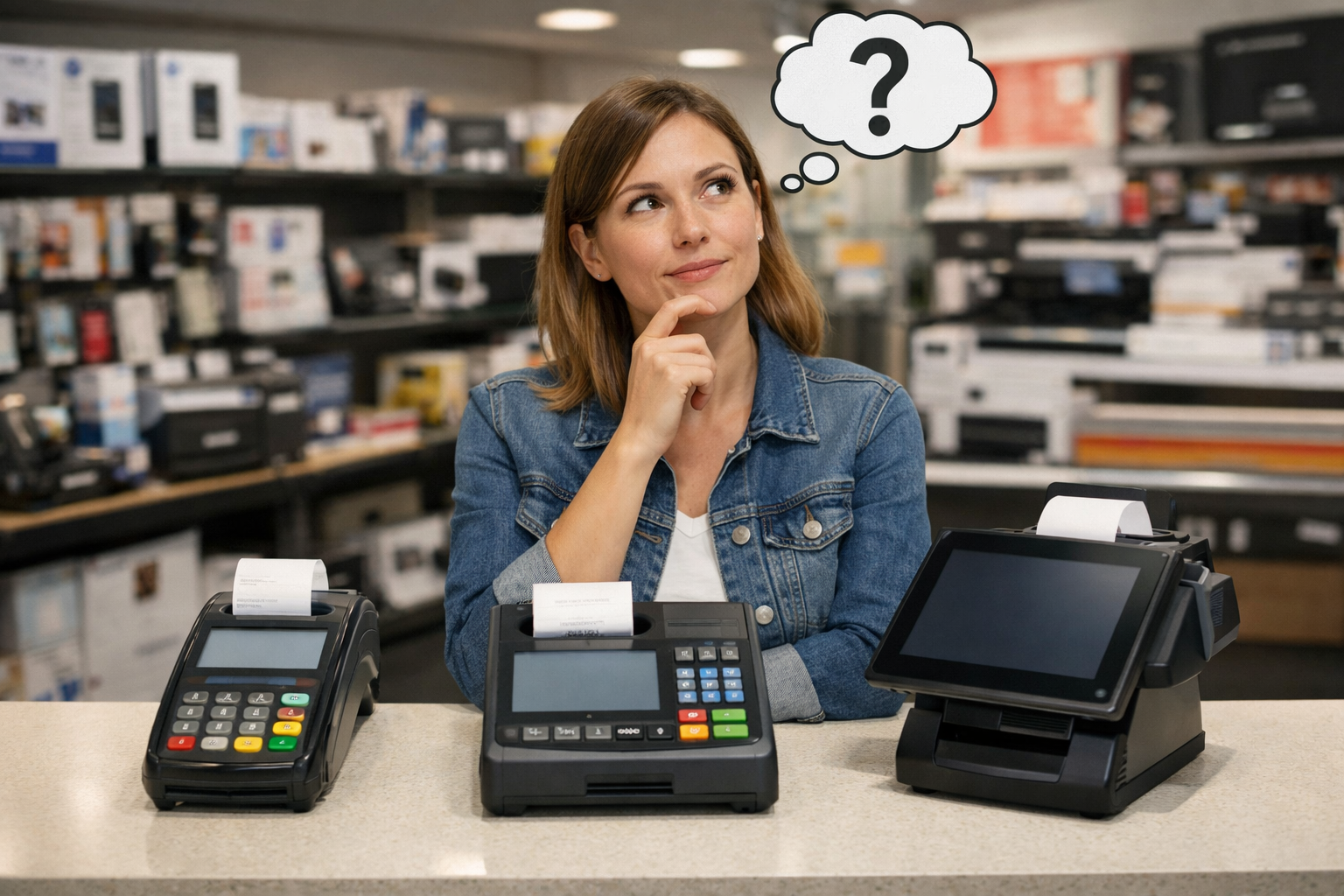
Standalone billing machines are handheld or desktop units with a built-in keypad or small screen, a thermal printer, and battery backup. You key in or scan an item, and it prints a GST-compliant bill right there. No computer, no monthly fee — you buy it once. These suit kirana stores, small eateries, and stalls where the owner does the billing personally.
POS billing machines with barcode support are a step up. They connect to a barcode scanner, and sometimes a weighing scale, so the machine picks up the price automatically instead of you typing it in. This starts to matter once you're stocking more than 50 or so items.
Touchscreen or Android POS systems run full billing software on a tablet-style device, usually with card and UPI payment built in, multiple staff logins, and detailed sales reports. It's the closest thing to a computerised billing setup without needing a separate desktop.
A computer or laptop with billing software is the most flexible option. You run something like Vyapar, Marg, TallyPrime, Petpooja, or myBillBook, connected to a thermal printer, a barcode scanner, and sometimes a cash drawer. This scales best if you're running more than one counter or outlet.
Mobile billing apps work off a smartphone, printing to a small Bluetooth thermal printer. These suit very small setups, home businesses, or delivery-first operations that don't need a full counter.
Billing Machine vs POS Billing Software
This is where a lot of first-time buyers get confused, because "billing machine" and "POS software" get treated as the same purchase decision. They're not, and knowing the difference will save you from buying the wrong one.
A billing machine is hardware, plain and simple. It's self-contained, works out of the box, and costs you once — no computer, no printer to buy separately, no subscription. Most models work fine offline, which matters in areas with patchy internet. What you don't get is much depth: basic stock counts, a simple daily sales total, and not much beyond that. Scaling it across multiple counters is also awkward, since each unit mostly works on its own.
POS billing software is the opposite trade-off. You're buying (or subscribing to) an application that runs on a computer, tablet, or phone, and you'll need to buy the printer and scanner separately. Costs range from free basic plans to a few thousand rupees a year for small shops, and considerably more for full restaurant POS suites once you add setup fees and hardware. What you get in return is real depth — batch and expiry tracking, multi-location inventory, GST reports you can hand straight to your accountant, and the ability to run multiple counters or outlets from one system.
So the short version: if you run one counter and mainly need fast, GST-correct bills, a standalone billing machine is usually the cheaper and more reliable choice. If you're managing a menu, a large SKU list, or more than one counter, POS software earns back its subscription cost through fewer stock errors and much easier GST filing. Plenty of shops actually use both at different stages — a simple billing machine when they start out, and POS software once inventory and multi-counter tracking start to matter.
Key Features to Look For
Not every feature matters for every business, but a few are worth checking before you buy:
- GST-ready billing, with the correct CGST/SGST split, HSN codes, and your GSTIN printed on every bill
- Offline billing, so you don't lose sales during a power cut or internet outage
- Battery backup, especially useful in areas with frequent power cuts
- Barcode scanning support, once you're stocking more than a handful of items
- Basic inventory or stock tracking, so you know what to reorder
- UPI, card, and cash support, since customers increasingly expect at least UPI
- Multi-user login, if more than one person bills at the counter
- Regional language support, if your staff are more comfortable billing in a local language
- Daily or period sales reports, to save you manual reconciliation
- A solid warranty and local service availability — a machine that breaks down on a busy Saturday with no nearby service support is a real cost
Billing Machine Price in India
Prices vary by brand, city, and dealer, so treat the numbers below as ranges rather than fixed figures, and get a current quote before you buy.
A basic standalone GST billing machine typically costs ₹12,000 to ₹16,000, one time. A cloud-connected version, which syncs your sales to an online dashboard over Wi-Fi, usually runs ₹19,000 to ₹25,000. High-volume standalone machines built for busier counters, with faster printing and larger item storage, sit in a similar ₹20,000 to ₹25,000-plus range. A touchscreen or Windows POS terminal that can run full software like Tally or Marg costs more, generally ₹35,000 to ₹50,000 or above.
If you're buying components separately for a software-based setup, a standalone thermal receipt printer costs roughly ₹5,000 to ₹10,000, and a barcode scanner adds another ₹1,500 to ₹4,000.
On the software side, a basic mobile billing app can be free or cost up to around ₹4,000 a year for GST invoicing and simple inventory. A mid-tier POS or billing subscription with barcode support and real-time inventory typically runs ₹4,500 to ₹9,000 a year. A full restaurant or retail POS suite with setup, hardware, and onboarding included can cost ₹60,000 to over ₹1,00,000 in the first year, though ongoing years are cheaper once the hardware is paid off.
As a rough rule of thumb: budget ₹7,000 to ₹15,500 for hardware alone if you're going the software route, on top of whatever subscription you choose. Or budget ₹12,000 to ₹25,000 as a single one-time cost if you'd rather go with a standalone billing machine instead.
GST Billing Rules Every Shop Owner Should Know
You don't need to become a tax expert to run a compliant counter, but a few facts will save you from surprises.
Every GST-registered business has to issue GST-compliant bills, with the GSTIN, HSN codes where applicable, and the correct CGST/SGST or IGST split. Any billing machine or software worth buying handles this automatically.
E-invoicing, which means generating an IRN through the government portal, is currently mandatory only for businesses with an aggregate annual turnover above ₹5 crore, and only for B2B, export, and SEZ supplies — not for regular retail sales to individual customers. If you're a typical small shop, restaurant, or pharmacy selling to walk-in customers, you almost certainly don't need e-invoicing right now, though it's worth checking your turnover if you also do bulk B2B business.
Once a business crosses that ₹5 crore threshold in any year from 2017-18, e-invoicing stays mandatory even if turnover later drops below it. So if you're getting close to that number, it's worth choosing billing software that can generate e-invoices later without having to switch systems entirely. This threshold gets revisited by the GST Council from time to time, so it's worth a quick check with your CA if your turnover is growing fast.
Best Billing Machine for Restaurants
Restaurants have needs that a plain retail billing machine doesn't cover well. Kitchen order ticket printing sends orders straight to the kitchen instead of someone shouting them across the room. Table and order management keeps track of which table ordered what, especially useful for dine-in with multiple turns. Menu-based billing needs to handle modifiers like extra cheese or no onion, plus combo pricing. And if you take orders through Zomato or Swiggy, syncing that with your billing saves you from entering the same order twice.
For a small dhaba, tea stall, or quick-service counter with a short menu, a standalone billing machine with a basic item list is often enough. For a full-service restaurant with table service, delivery integration, and a proper menu, POS software built for restaurants is worth the subscription. Trying to force a simple billing machine into that workflow usually creates more manual work than it saves.
Best Billing Machine for Retail, Grocery & Pharmacy
Retail and garment shops mostly need barcode scanning, size or colour variant tracking where relevant, and straightforward GST billing. A mid-range standalone machine or entry-level POS software covers this well.
Grocery and kirana stores benefit most from weighing-scale integration for loose items sold by weight, along with fast barcode billing, since bill volume tends to be high with many low-value items.
Pharmacies have the strictest requirements of the group. Batch and expiry tracking is critical, both for compliance and to avoid selling expired stock. Drug licence and Schedule H or H1 compliance features help flag restricted medicines. And fast barcode or strip scanning matters given how many transactions a pharmacy counter handles in a day. If you run a pharmacy, it's worth prioritising software with purpose-built pharmacy modules over a generic billing machine, since batch and expiry tracking isn't something most standalone machines handle well.
How to Choose the Right Billing Machine
Start by counting your daily bills. A shop doing under 30 bills a day on one counter needs far less machine than one doing 100-plus across two counters.
Next, look at what you actually sell. Fewer than 200 items needs a lot less than a grocery store carrying 1,500-plus SKUs across multiple GST slabs.
Decide whether you genuinely need inventory tracking, or just billing. If you're comfortable tracking stock manually, you don't need to pay extra for deep inventory features.
Think ahead about whether you're likely to add a second counter or outlet. If so, lean towards cloud-based software rather than a single standalone machine, since syncing multiple standalone units is difficult.
Whatever you choose, confirm GST compliance is built in from the start — the correct CGST/SGST split, GSTIN printing, and HSN codes should be standard, not an add-on. Check that it supports the payment methods you actually need, with UPI QR code support close to essential these days. Ask about warranty, service turnaround, and the ongoing cost of consumables like thermal paper and printer heads. And where possible, get a demo before buying, especially for POS software — a system that looks fine in a sales pitch can slow your actual counter down during a rush.
Setting Up a Billing Machine: What to Expect
Setup usually follows a similar pattern regardless of which type you choose. You start by entering your business details — shop name, address, GSTIN, and any custom header or footer for the bill. Then you load your item list, either manually or by importing a spreadsheet, along with prices and the applicable GST rate for each item.
After that, you connect any peripherals you're using, like a barcode scanner, cash drawer, or UPI QR display. You set up your payment modes, linking your UPI ID or payment gateway for card and QR acceptance. Before going live, it's worth running a few test bills to check that the GST split, HSN codes, and totals all print correctly. Finally, take a few minutes to train whoever bills at the counter — even a simple machine benefits from some hands-on practice before the first real customer.
Frequently Asked Questions
Is a billing machine mandatory for shops in India?
There's no law requiring a specific piece of hardware, but if you're GST-registered, you're required to issue GST-compliant invoices for every sale. A billing machine or billing software is simply the practical way to do that consistently instead of writing bills by hand.
Which is cheaper: a billing machine or POS software?
A standalone billing machine is usually cheaper upfront, since it's a one-time cost with no recurring fee. POS software can have a lower entry cost, even free for very basic mobile apps, but adds an ongoing subscription plus separate hardware costs, which can add up to more over a few years. In exchange, you get significantly more inventory and reporting depth.
Do I need e-invoicing for my shop?
Only if your aggregate annual turnover crosses ₹5 crore and you're issuing B2B, export, or SEZ invoices. Regular retail sales to individual customers don't require e-invoicing, regardless of your turnover.
Can a billing machine work without the internet?
Most standalone billing machines are built to work fully offline, printing bills and storing sales data locally. Cloud-connected models sync that data to an online dashboard whenever the internet is available, but billing itself usually continues even if the connection drops.
What's the best billing machine for a small shop just starting out?
A basic standalone GST billing machine in the ₹12,000 to ₹16,000 range covers most single-counter shops well. It handles GST-compliant billing with no monthly fee, and you can always add barcode scanning or software later as the business grows.
Do restaurants need different billing machines than retail shops?
Not necessarily a different machine, but different features. Restaurants benefit far more from kitchen order ticket printing, table management, and delivery platform integration — features that are usually part of restaurant-focused POS software rather than a plain standalone billing machine.
How long does a billing machine typically last?
With normal use and basic care, like avoiding dust and moisture and using decent-quality thermal paper, a standalone billing machine usually lasts several years before hardware wear sets in. Printer heads and batteries are the parts most likely to need replacement over time. Check the warranty period and after-sales service availability before buying, since that affects real-world lifespan more than the specs sheet does.Choosing between a billing machine and POS software isn't about which one is better in general. It's about matching the setup to how your counter actually runs. Start with your bill volume and inventory complexity, confirm GST compliance is built in, and only move up to fuller POS software once your business genuinely needs the extra tracking and reporting it offers.